1. Use the form your crew knows
Start with an existing FLHA document or a photograph of the paper form. The homepage demo shows the paper-to-mobile conversion.
Move pre-task hazard assessment paperwork into a reviewed mobile workflow. Strawboss demonstrates turning a handwritten FLHA into a live form and supports reviewing the worksite records behind your hazard planning.
A field level hazard assessment (FLHA) records the hazards and controls for the work ahead. A job hazard analysis (JHA), also commonly called a job safety analysis (JSA), examines task steps and their risks. Digitizing the paperwork should help the crew record that review; it should not substitute for examining the actual jobsite.
Watch the recorded product demos →
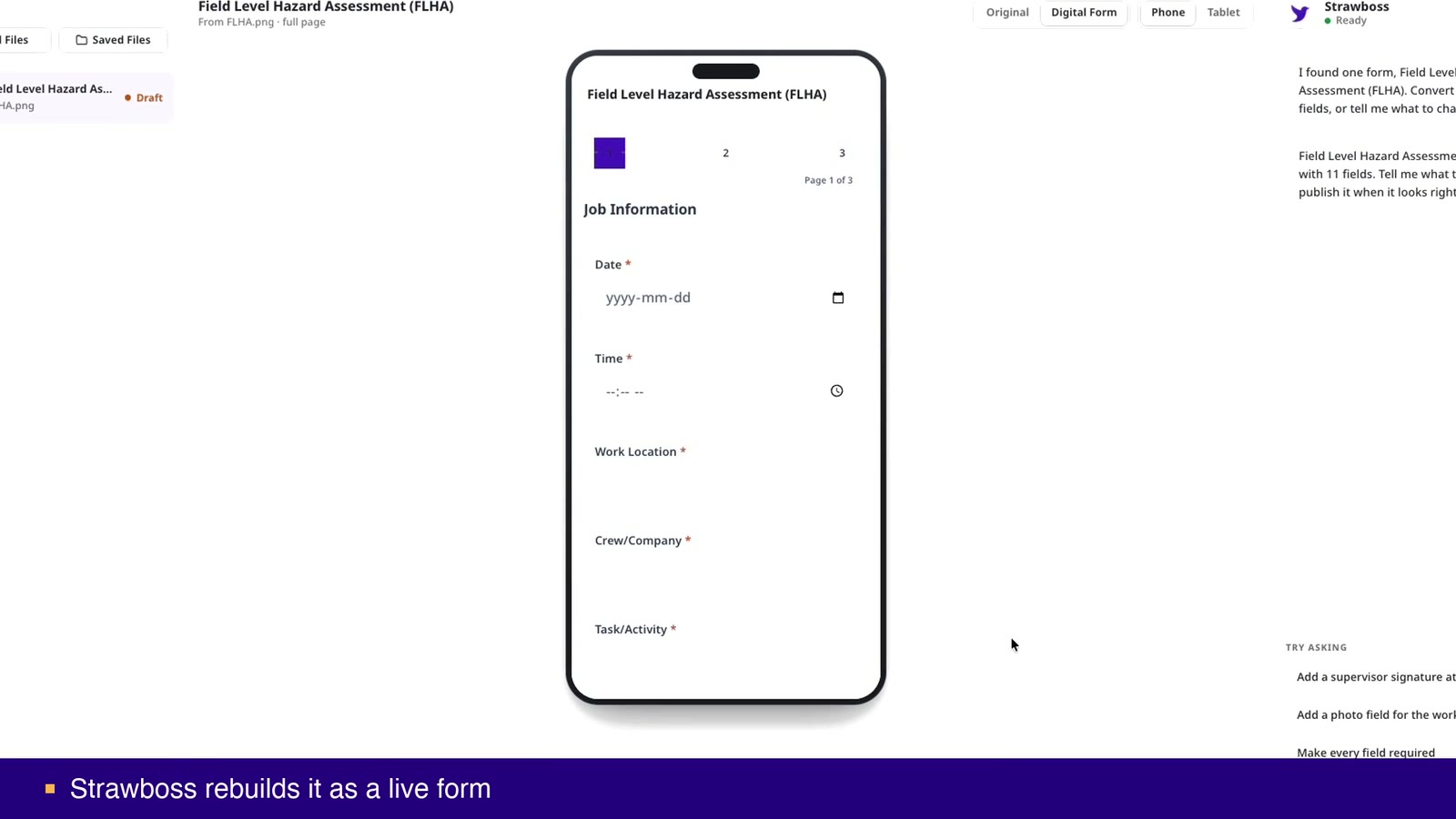
Start with an existing FLHA document or a photograph of the paper form. The homepage demo shows the paper-to-mobile conversion.
Review the generated fields and instructions. Responsible people should check that the form captures the information needed for the task.
Complete the form on a phone or tablet. Try Voice Fill where supported and check whether workers can record the answers clearly.
Use source records and approved company material when reviewing hazard documents. Check any AI-assisted draft against current site conditions and the responsible person’s assessment.
FLHA stands for field level hazard assessment. It is used to record a review of task and site hazards and the controls needed before work begins.
JHA means job hazard analysis; JSA means job safety analysis. Both are commonly used for reviewing task steps, hazards, and controls. Use your organization’s terminology and requirements.
The recorded homepage demo shows a handwritten FLHA becoming a mobile form. Review the resulting questions and test the form with your crew before relying on it.
No. The form and any AI-assisted draft require human review. The crew and responsible people still need to assess the actual conditions and controls.
Digital safety forms, Construction safety software, Safety inspections, COR audit evidence.
Review the field experience, source records, and output with the people who will use them. See current pricing and trial details, or review the published security controls.
Test the form with your crew, review the resulting records, and confirm the workflow before wider rollout.